Synthesiser for iPhone · iPad · Mac

Learn it.
Then play it.

An analogue-style and FM synth on one hands-on panel. Start at step one with the guided Beginner mode — or plug in your OP-1 Field or any MIDI controller and play straight away.

Download on theApp Store One purchase · iPhone, iPad & Mac
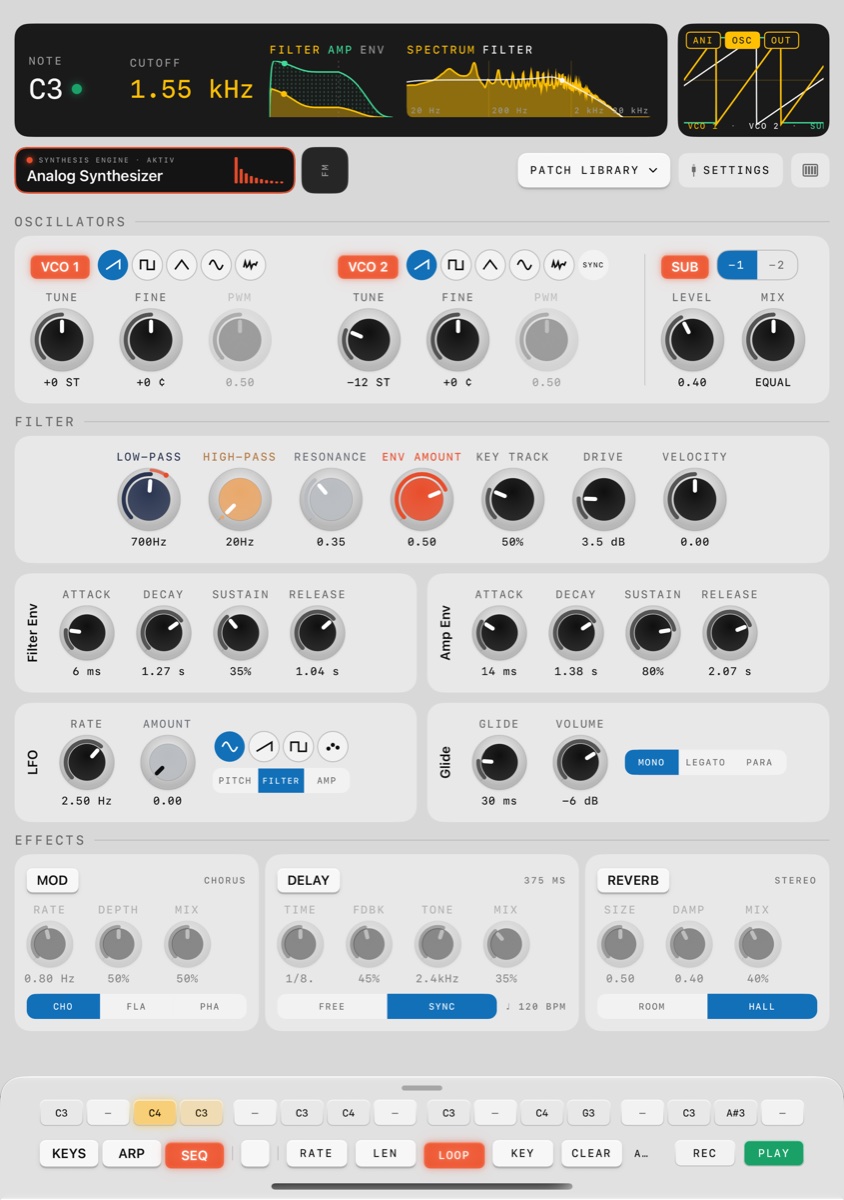
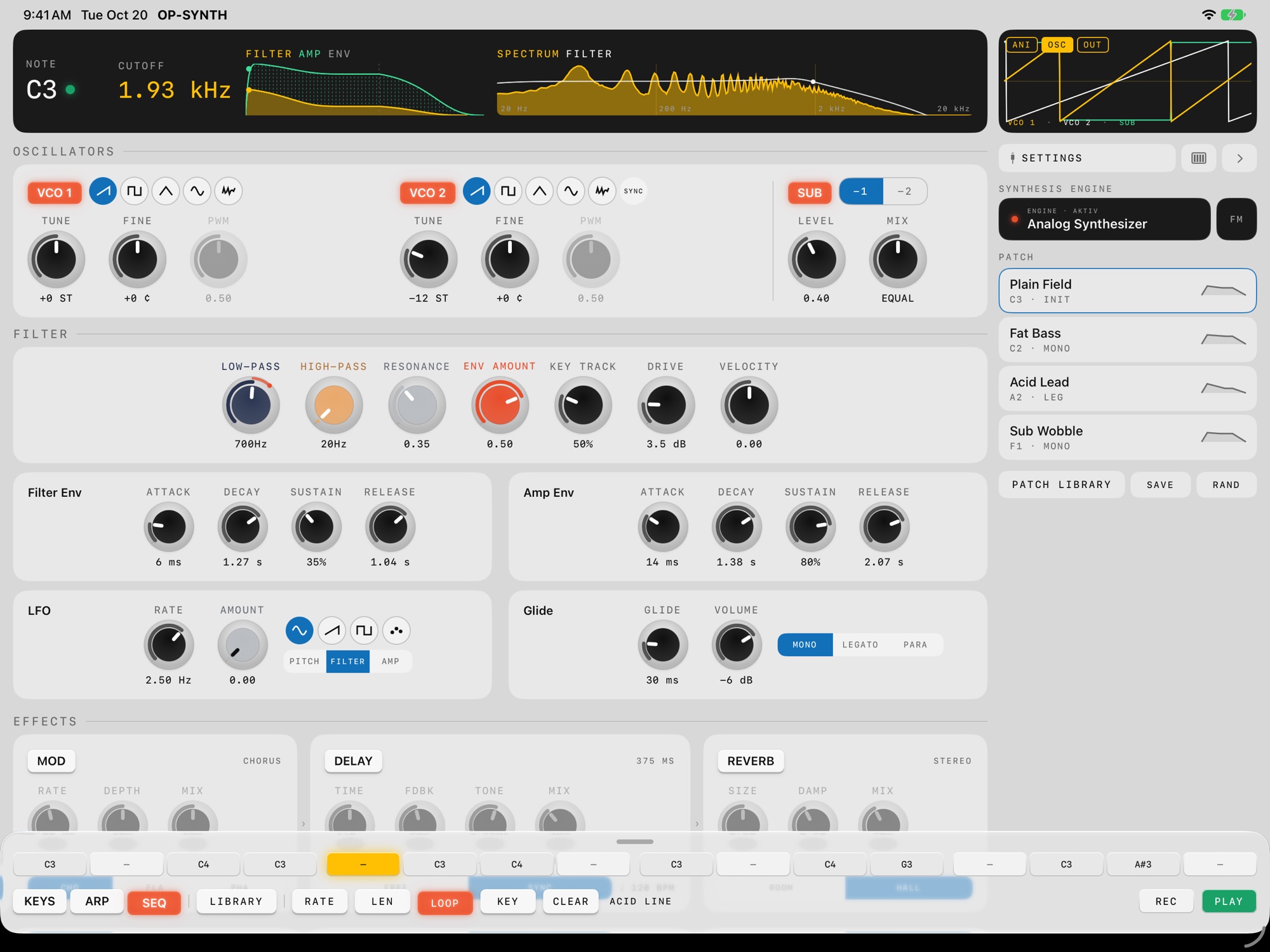
OP-SYNTH on iPad: display with envelopes, spectrum and oscilloscope, oscillators, filter, envelopes, LFO, effects and the step sequencer playing
Why OP-SYNTH

The classic subtractive voice the OP-1 Field never shipped with — and a synth anyone can learn.

The teenage engineering OP-1 Field is a brilliant sampler and workstation, but it has no traditional subtractive synth. OP-SYNTH fills that gap: plug the Field — or any other MIDI keyboard — in over one cable and it plays a hand-crafted DSP voice. Every control lives on one screen. No menu diving, no preset hunting.

New · Beginner mode

Never touched a synth? Start at step one.

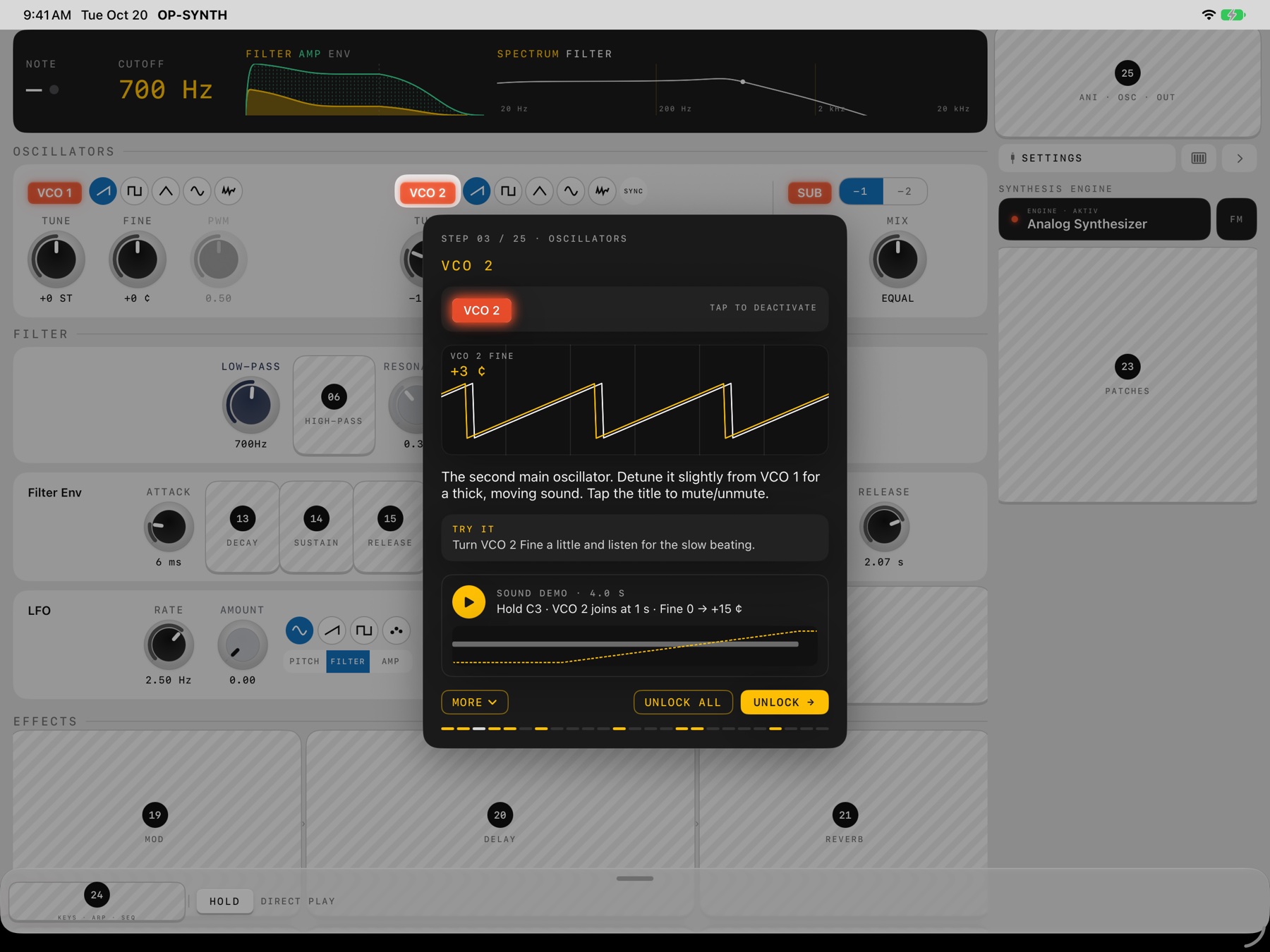
Choose Beginner at launch and the panel starts covered. You unlock it one module at a time, in 25 short guided steps — so you always know what you're touching and why it sounds the way it does.

  • Oscillators — VCO 1, VCO 2 and Sub
  • Filter — low-pass, high-pass, resonance, envelope amount, key tracking, drive, velocity
  • Envelopes — filter attack, decay, sustain and release one by one, then the amp envelope
  • Movement — LFO, glide and voice modes
  • Effects — chorus / flanger / phaser, delay, reverb
  • Playing — engine switch, patches, Keys / Arp / Seq and the live scope
Beginner mode on iPad: step 3 of 25, VCO 2 — lesson card with oscillator animation, explanation, Try it task and sound demo; the rest of the panel is still covered by numbered cards
01 · READ

Plain language

Each step explains one control in a sentence or two — what it is and what it does to the sound. MORE opens the deeper background.

02 · WATCH & HEAR

Animated demo

An animation shows the control at work while a demo plays on the real engine, so you hear the difference before you touch anything.

03 · TRY IT

Your turn

A short “Try it” task gets your hands on the knob. Play along on the on-screen keys or your controller.

04 · UNLOCK

Your pace

After step one, unlock in any order — or tap UNLOCK ALL when you're ready. Afterwards, long-press any control (right-click on Mac) to bring its explanation back.

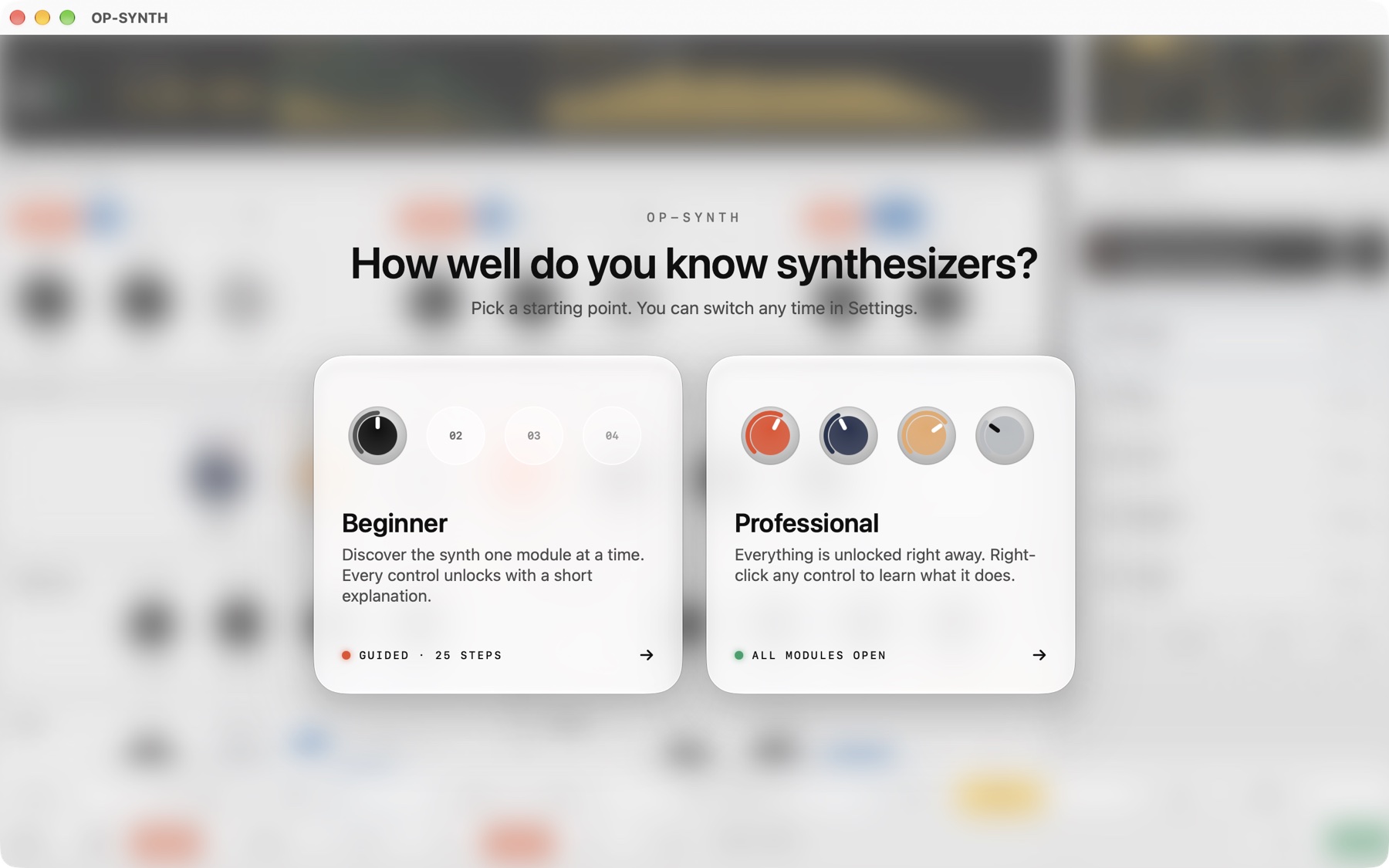
Start screen on Mac: “How well do you know synthesizers?” with Beginner (guided, 25 steps) and Professional (all modules open)

Beginner or Professional — switch any time, or restart the guided intro from Settings

Sound engine

Two engines.
One signal path.

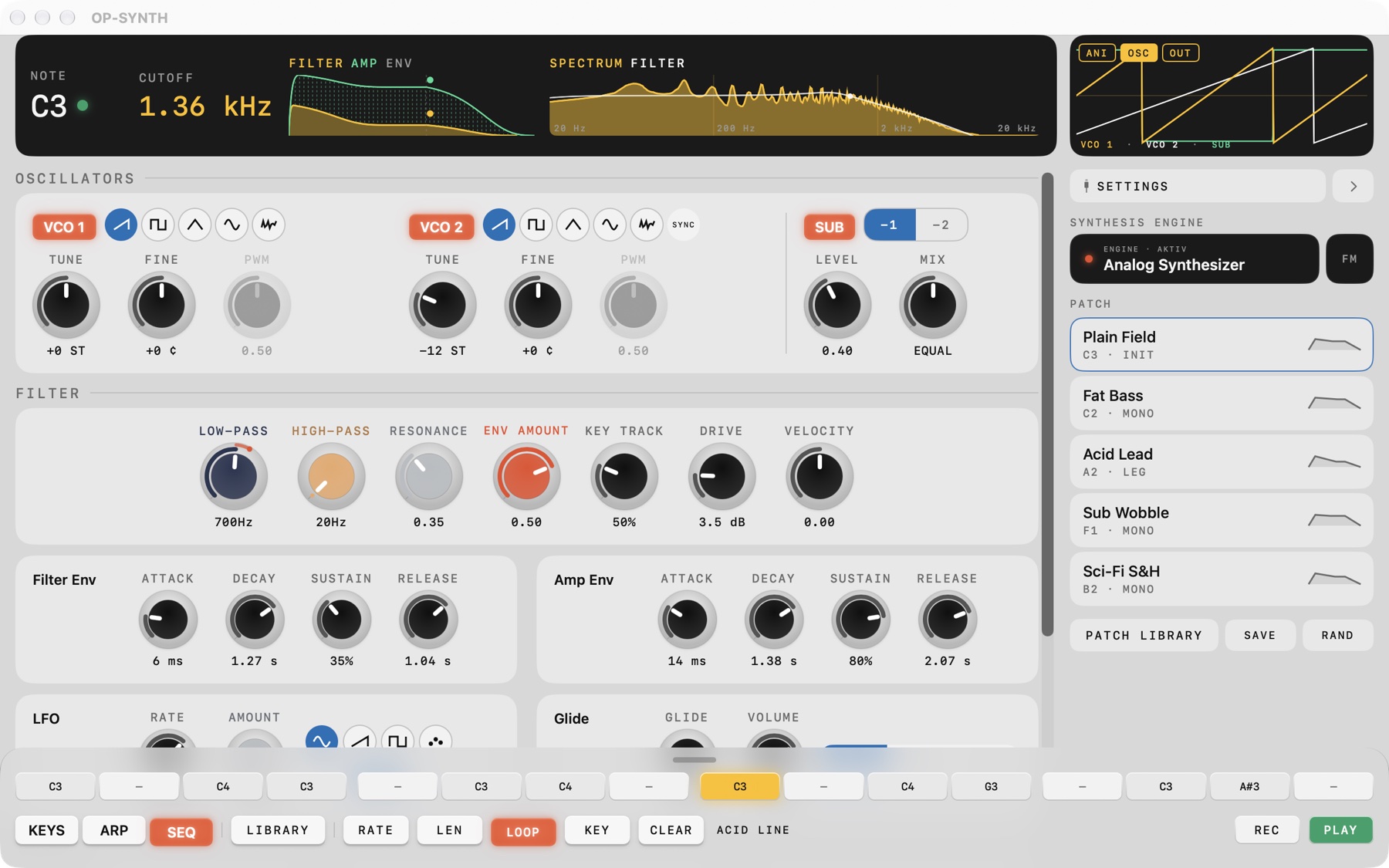
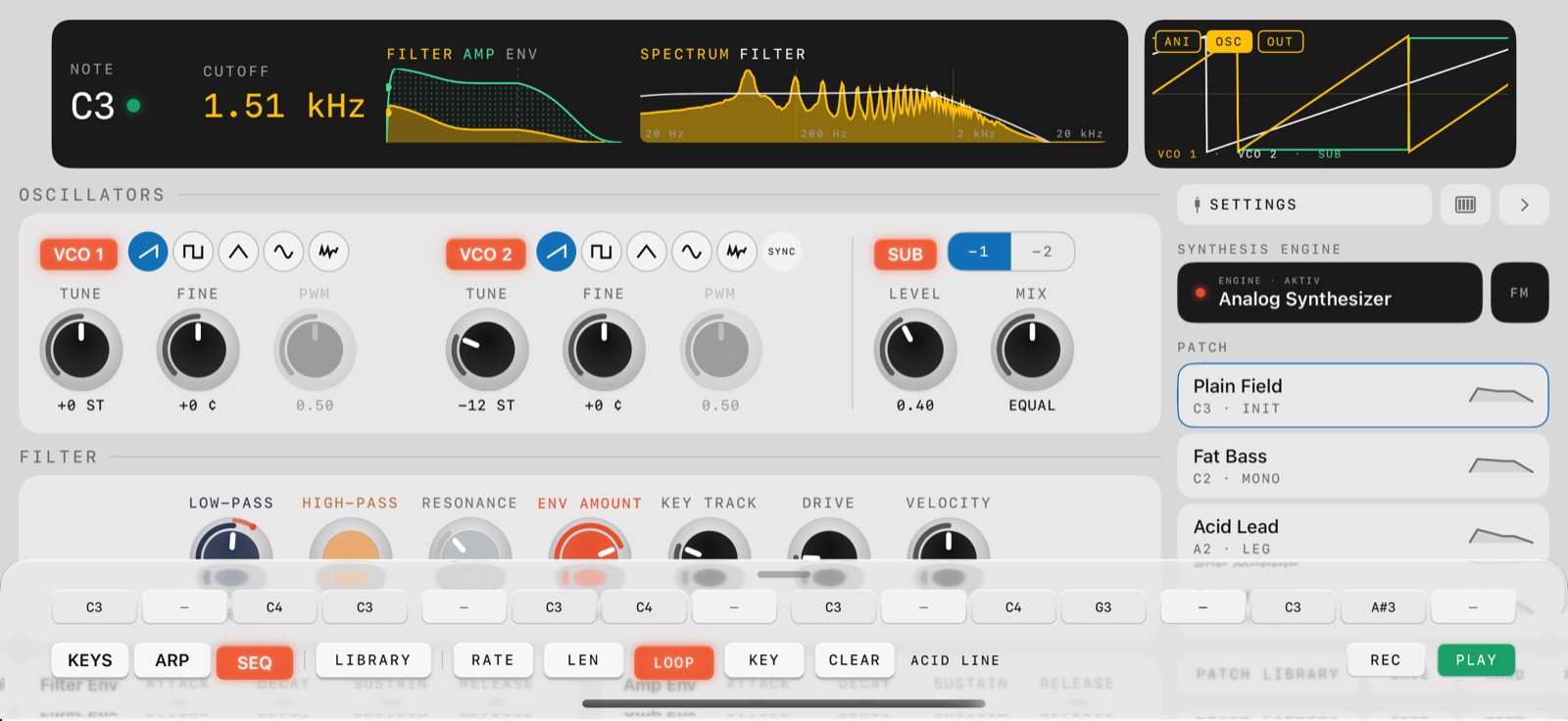
A warm analogue-style voice and a switchable 2-operator FM engine share the same filter, envelopes, glide and effects — so FM sounds shape exactly like the analogue ones.

  • 2 VCOs — saw, square, triangle, sine, noise — with pulse width and hard sync
  • Sub oscillator, one or two octaves down
  • Drive into a resonant ladder low-pass, plus high-pass
  • Filter and amp ADSR envelopes, key tracking, velocity to filter
  • LFO — sine, saw, square, sample & hold — to pitch, filter or amp
  • FM: ratio, fine, index and its own modulation envelope
OP-SYNTH on Mac: oscillators, filter, envelopes, patch list and the step sequencer playing an acid line
Effects

Chorus · Flanger · Phaser · Delay · Reverb

Mod FX for width and motion, a delay with free time or tempo sync, feedback and tone, and a room or hall reverb with size and damping.

Patches
35

Basses, acid and synth leads, pads, brass, SID-style chip sounds and FM tones. Save your own or hit RAND.

Arpeggiator

8 modes · 18 patterns

Up, down, pendulum, converge, as played, random… rates from 1/4 to 1/32 with triplets, octave range, gate and latch.

Sequencer

16 steps

Sketch basslines and riffs with record, loop, key and a ready-made pattern library.

Voice

Mono · Legato · Para

Last-note-priority mono, legato, or 4-voice paraphonic chords — with glide and Hold.

See the sound

Envelopes, spectrum and scopes — live

The display draws the filter and amp envelopes, the spectrum against the filter curve, and switches between an animation, the raw oscillators (OSC) and the finished output (OUT).
MIDI

Plug in anything.
Set it up in one place.

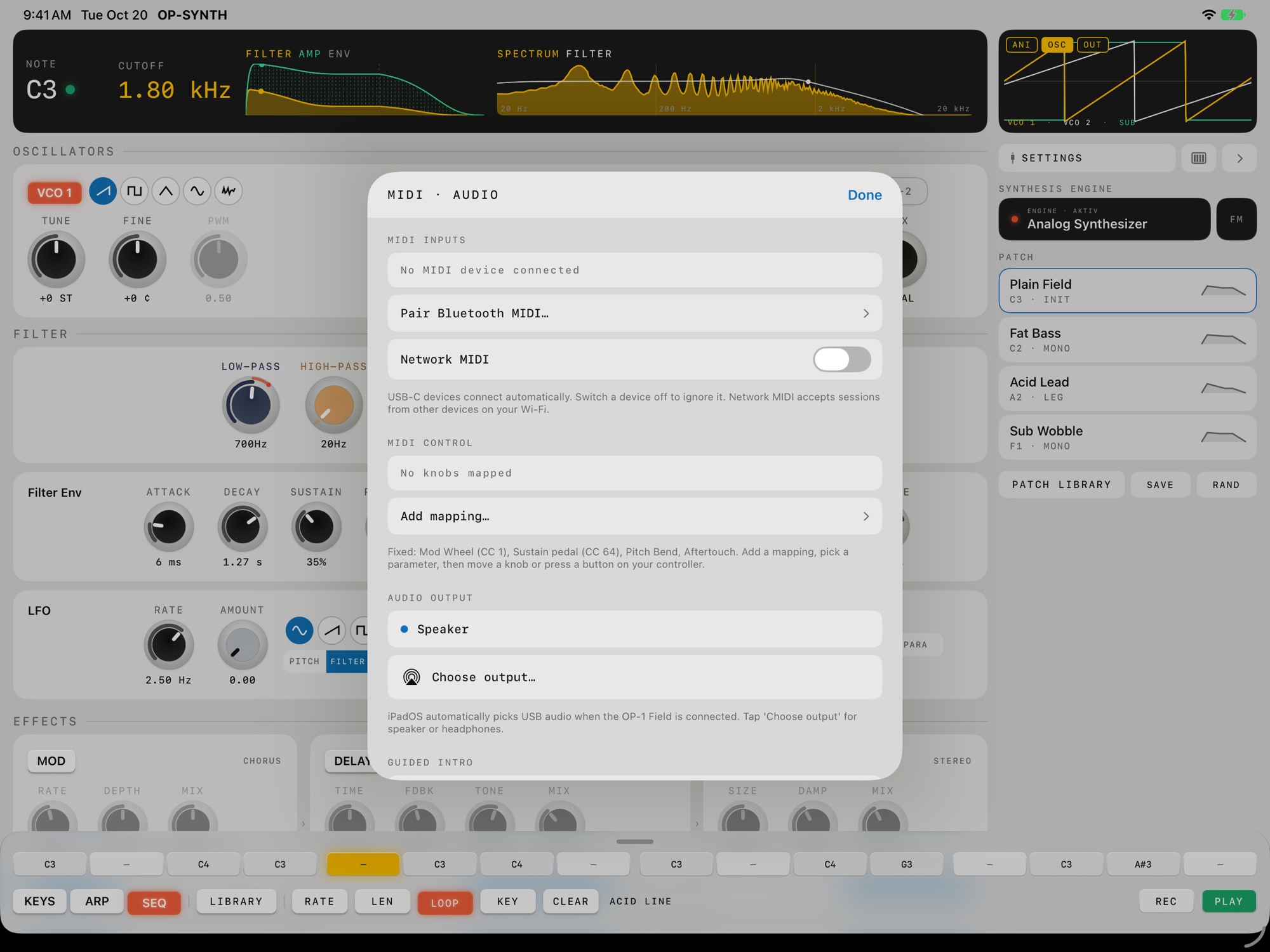
Connect over USB-C, Bluetooth or Network MIDI. The OP-1 Field is detected automatically. Everything MIDI lives in Settings:

MIDI inputs

See every device

All connected controllers are listed. Switch each one on or off individually — USB devices connect by themselves.

Bluetooth MIDI

Pair in the app

Pair wireless controllers right inside OP-SYNTH on iPhone and iPad. On Mac, pair them in Audio MIDI Setup.

Network MIDI

Over your Wi-Fi

Turn it on to accept MIDI sessions from other devices on your network. Off by default.

MIDI control

MIDI learn

Add a mapping, pick a parameter, move a knob or press a button on your controller — done. Knobs, switches, effects, Hold and the arpeggiator are all mappable, per CC and channel.

Built in

No setup needed

VelocityPitch bendMod wheel · CC 1Sustain · CC 64Channel aftertouchPoly pressureAll 16 channels
MIDI clock

Locks to your tempo

Incoming clock sets the tempo for the arpeggiator, sequencer and synced delay — perfect with the OP-1 Field.

MIDI · Audio settings on iPad: MIDI inputs, Pair Bluetooth MIDI, Network MIDI, MIDI control mappings and audio output

Settings · MIDI inputs, Bluetooth, Network MIDI, MIDI learn and audio output

iPhone · iPad · Mac

One purchase.
Every screen.

The full panel scales from iPhone in landscape to a big iPad display, unfolds on foldable screens and runs natively on Mac. Your patches and settings feel the same everywhere.

OP-SYNTH on the unfolded inner display of a foldable iPhone, portrait
OP-SYNTH on iPhone in landscape with the step sequencer
iPhone

Pocket synth

The whole panel in landscape, plus the large inner display on foldables. Plug a controller in over USB-C or Bluetooth.

iPad

The full desk

Portrait or landscape, every module at once. Play from a Magic Keyboard when no controller is around.

Mac

Native on macOS

Play from your Mac keyboard and use the menu shortcuts: ⌘, Settings · ⌘S Save Patch · ⌘L Patch Library · ⌘↑/⌘↓ Octave.

iPhone · iPad · Mac

OP-SYNTH

Plug in, call up a patch — or start at step one — and play.

Download on theApp Store